
Is Netflix's "skip adult scene" button real?
No. Netflix has never announced or released a button that skips sex scenes. The screenshots you may have seen were made by people on social media, and at least one of them was a joke from the start.
It keeps coming back, though, so here is where the two best-known versions came from, why they were easy to believe, and what does skip a scene today.
"Skip the foreplay", April 2024
On 7 April 2024 the creator Soren Iverson posted what looked like a Netflix screen over an episode of Bridgerton. It offered to "make family movie night less awkward by deleting naughty scenes from this show". Dexerto reported it passed 16 million views, and The Tab counted 143,000 likes.
Iverson posts mock app features regularly, and said so in the replies: "I make unhinged stuff like this daily." Snopes labelled it satire.
Plenty of people pointed out the name was backwards. Skipping the foreplay is not the same as skipping the scene. It spread anyway.
"Skip adult scene", November 2025
A second round came in late 2025, this time a "Skip Adult Scene" button drawn onto the Netflix player. The fact-checking site Fact Crescendo traced the images to an edit by the account @UghDitya and rated the claim false on 24 November 2025. Netflix had made no announcement about it, and I could not find one since.
Why it was easy to believe
Netflix already has a button that skips part of an episode. Skip Intro launched in 2017, and by Netflix's own count in 2022 it was pressed 136 million times a day. A button that skips something else, drawn in the same style, does not look strange.
Netflix also gives each title content advisories, naming things like nudity, sex or language. So it clearly knows a show has those things in it. What it does not have is where they are, scene by scene, and that is what a skip button would need.
What Netflix does let you do
Netflix's parental controls are real and worth setting up. You can:
- give someone a Kids profile
- set a maturity rating on a profile, so titles above it do not show up
- block particular titles on a profile
- lock a profile with a PIN
Every one of these works on a whole title. A show is either allowed on a profile or it is not. Nothing reaches inside a show you have allowed. I wrote up where each control lives and what it does separately.
What does skip a scene
Two things, depending on the screen.
By hand, anywhere. Find out where the scenes are before you start, then skip forward when you get there. Parent guides describe what is in a film or episode. For some shows we list the start times, as in this one for Bridgerton.
Automatically, on a computer. A browser extension can watch where playback is and jump past a marked scene. I build one called CutCat. It is free, it works on Netflix in Chrome on a computer, and it uses scenes marked by other viewers.
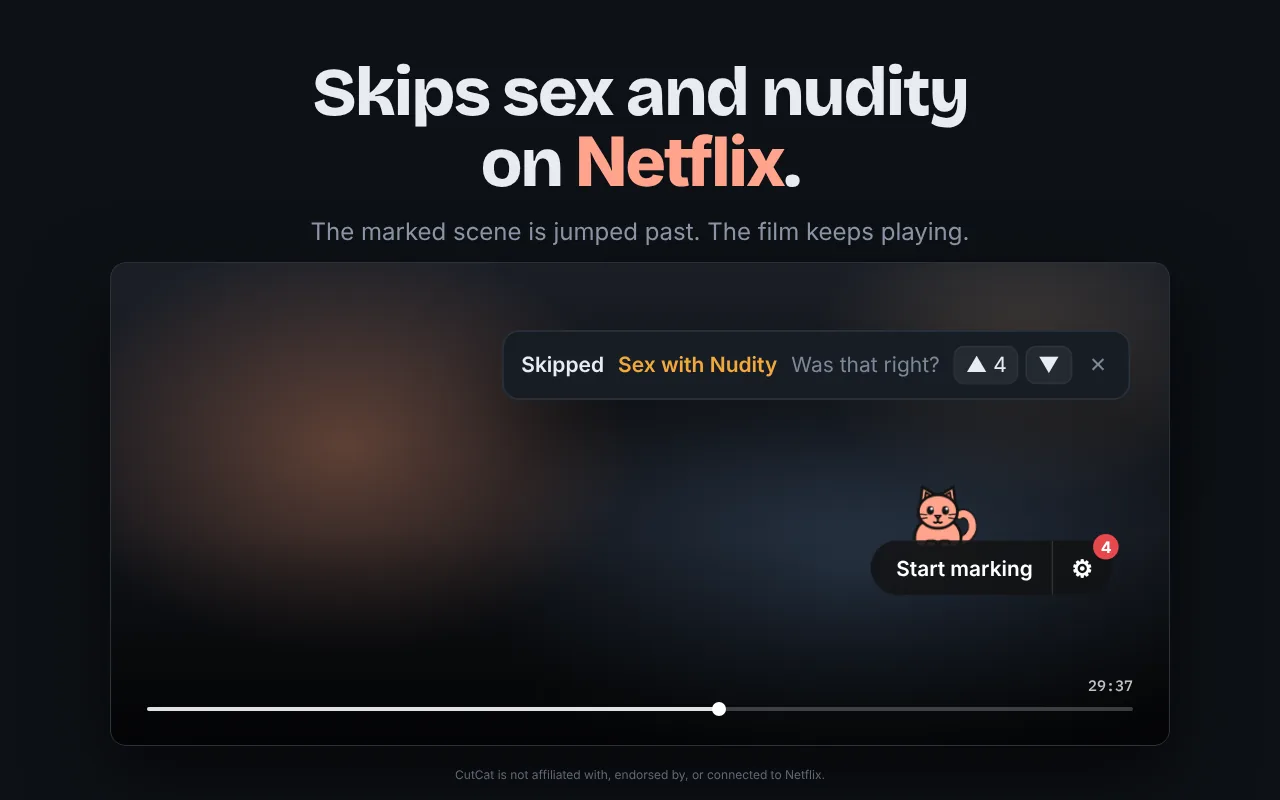
It has limits, and they are worth knowing before you install anything:
- It only skips scenes someone has marked. A film nobody has marked plays as normal. Here is what is covered.
- It works on Netflix only.
- It needs Chrome on a computer. It cannot go on a phone, a tablet or a TV.
If you watch Netflix on a computer, CutCat is the closest thing to the button in those screenshots.