
How to watch Bridgerton without the sex scenes
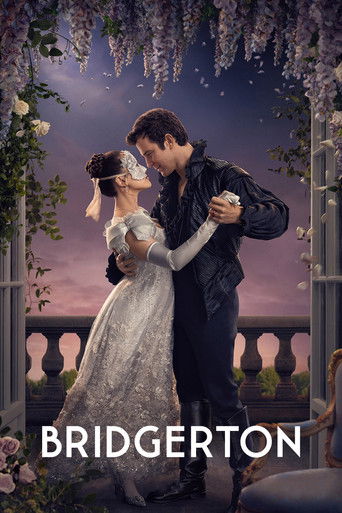
Bridgerton is rated TV-MA in the US, with sex and nudity among the reasons given. A lot of people like the story and would rather skip those parts, which is why this question keeps coming up.
There is no setting on Netflix that removes a scene from a show you are allowed to watch. So this page does two things. It lists where viewers have marked the sex and nudity scenes in Bridgerton, episode by episode, with the time each one starts. And it shows how to have them skipped automatically if you watch on a computer.
Where the scenes are
Across seasons 1 to 4, viewers have marked 56 scenes on 23 of the 32 episodes. Together they come to about 67 minutes.
The episode with the most marked time is season 1, episode 6, "Swish", at 8 min 27 s.
Minutes marked in each episode:
Read this before you trust a zero
An episode with nothing marked is an episode nobody has marked yet. It is not a promise that the episode is clean. In this list, nothing is marked yet in season 1, episode 2; season 2, episodes 2, 3, 4 and 6; season 3, episode 6; season 4, episodes 2, 6 and 7. A parents guide on Netflix Life says every season 4 episode has at least one sex scene, so treat those gaps as gaps.
None of these markings has been voted on yet. The start times are where the viewer who marked them put them, so allow a few seconds either side.
Episode by episode
Each time is where the scene starts in the episode, followed by how long it runs. If you are skipping by hand, this is the list to keep next to you.
Season 1
| Ep | Title | Scene starts, and how long |
|---|---|---|
| 1 | Diamond of the First Water | 2:55, for 14 s (sex) 15:17, for 1 min 52 s (sex) |
| 2 | Shock and Delight | Nothing marked yet |
| 3 | Art of the Swoon | 37:45, for 33 s (sex) |
| 4 | An Affair of Honor | 25:24, for 1 min 32 s (nudity) 39:02, for 27 s (nudity) 47:41, for 37 s (sex) |
| 5 | The Duke and I | 20:08, for 53 s (sex) 52:42, for 5 min 25 s (sex) |
| 6 | Swish | 5:45, for 1 min 17 s (sex) 11:49, for 3 min 32 s (sex) 43:15, for 1 min 28 s (sex) 45:38, for 23 s (nudity) 48:04, for 1 min 47 s (sex) |
| 7 | Oceans Apart | 11:56, for 1 min 21 s (sex) |
| 8 | After the Rain | 21:30, for 28 s (sex) 33:51, for 1 min 57 s (sex) 58:51, for 2 min 16 s (sex) |
Season 2
| Ep | Title | Scene starts, and how long |
|---|---|---|
| 1 | Capital R Rake | 12:45, for 15 s (nudity) 13:27, for 2 s (nudity) |
| 2 | Off to the Races | Nothing marked yet |
| 3 | A Bee in Your Bonnet | Nothing marked yet |
| 4 | Victory | Nothing marked yet |
| 5 | An Unthinkable Fate | 4:59, for 22 s (nudity) 51:14, for 16 s (sex) |
| 6 | The Choice | Nothing marked yet |
| 7 | Harmony | 50:09, for 2 min 5 s (sex) 52:39, for 23 s (sex) |
| 8 | The Viscount Who Loved Me | 1:05:17, for 56 s (sex) |
Season 3
| Ep | Title | Scene starts, and how long |
|---|---|---|
| 1 | Out of the Shadows | 25:52, for 1 min 23 s (sex) 46:13, for 30 s (sex) |
| 2 | How Bright the Moon | 8:59, for 45 s (nudity) 41:01, for 15 s (sex) 41:26, for 14 s (sex) |
| 3 | Forces of Nature | 1:17, for 22 s (sex) |
| 4 | Old Friends | 14:23, for 1 min 9 s (sex) 44:01, for 16 s (sex) 47:13, for 3 min 24 s (sex) |
| 5 | Tick Tock | 15:49, for 6 min 16 s (sex) 28:16, for 12 s (nudity) |
| 6 | Romancing Mister Bridgerton | Nothing marked yet |
| 7 | Joining of Hands | 27:24, for 22 s (sex) 55:27, for 50 s (sex) |
| 8 | Into the Light | 12:21, for 28 s (sex) 19:21, for 34 s (sex) 22:33, for 1 min 7 s (sex) 1:02:23, for 35 s (sex) |
Season 4
| Ep | Title | Scene starts, and how long |
|---|---|---|
| 1 | The Waltz | 5:22, for 8 s (nudity) 13:57, for 33 s (sex) 16:35, for 7 s (sex) |
| 2 | Time Transfixed | Nothing marked yet |
| 3 | The Field Next to the Other Road | 6:23, for 15 s (violence) 22:30, for 1 min 22 s (sex) 30:29, for 34 s (sex) 47:14, for 24 s (nudity) |
| 4 | An Offer from a Gentleman | 29:47, for 59 s (sex) 40:57, for 3 min 3 s (sex) 52:35, for 40 s (sex) 54:14, for 2 min 43 s (sex) 57:27, for 44 s (sex) |
| 5 | Yes or No | 3:59, for 11 s (sex) 57:03, for 3 min 28 s (sex) |
| 6 | The Passing Winter | Nothing marked yet |
| 7 | The Beyond | Nothing marked yet |
| 8 | Dance in the Country | 19:26, for 2 min 41 s (sex) |
Skipping them automatically on a computer
I build CutCat, a free Chrome extension that does this for you on Netflix. When playback reaches a marked scene, it jumps to the end of it. You see what happens just before and just after, and nothing in between. Nothing is downloaded and the video itself is not changed.
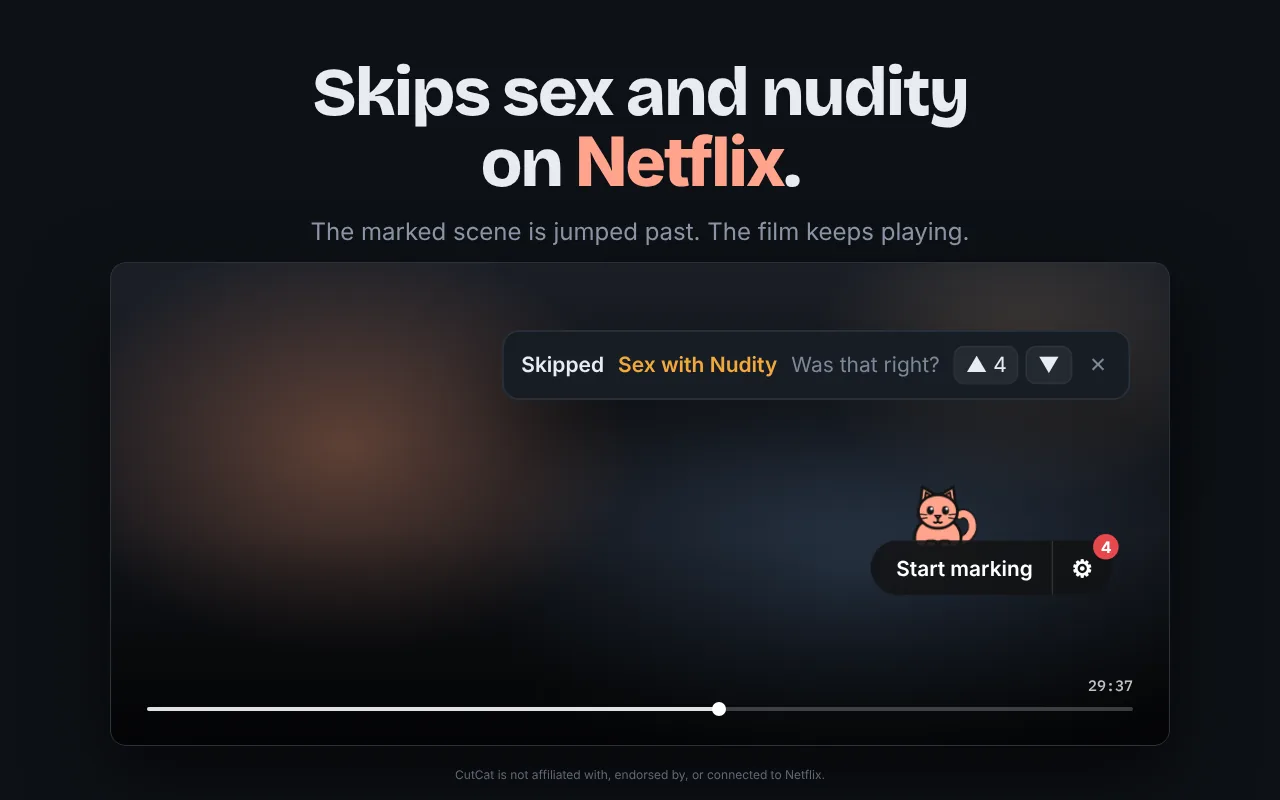
- On a computer, add CutCat to Chrome.
- Open Bridgerton on Netflix in Chrome.
- Open CutCat's settings from the gear next to the cat. Sex and nudity are separate switches, and so is kissing, if you want to go further.
- Press play. The scenes in the tables above are skipped as you reach them.
If you spot a scene that is missing, or one that starts late, you can mark it yourself in two clicks and the next viewer gets the benefit.
On a phone or a TV
CutCat only works in Chrome on a computer. It cannot be installed on a phone, a tablet or a smart TV. On those, the tables above and the remote are the way to do it: when you reach a start time, skip forward by the length shown.
Add CutCat to Chrome on your computer, open Bridgerton, and press play.