
CutCat / Blog / Sex scenes by title
13 Reasons Why sex scenes, episode by episode
13 Reasons Why has 20 sex or nudity scenes marked by viewers, in 11 of its 49 episodes on Netflix. Together they come to about 8 minutes.
Every marked scene is listed below with the time it starts and how long it runs. Skip them by hand on any screen, have CutCat skip them for you in Chrome on a computer, or use the times to go straight to a scene.
- Type
- Series, 2017
- Genre
- Drama, Mystery
- Marked scenes
- 20 (15 with sex, 5 with nudity)
- Marked time
- 8:06
- Episodes with markings
- 11 of 49
- Most marked episode
- S1 E6, “Tape 3, Side B” (1:31)
- Longest single scene
- 1 min 6 s
- Also marked
- 14 violence or gore markings
The first episode has nothing marked yet.
Where they are
Season 1 has the most marked time: 7 minutes across 16 scenes. Nothing is marked yet in seasons 3 and 4. That means nobody has marked them yet, not that they are clean.
Marked time in each season:
Episode by episode
Each time is from the start of that episode. Only episodes with markings are listed; the rest are named under each season.
Season 1
S1 E2 · Tape 1, Side B
Open on Netflix| # | Starts | Ends | Length | Marked as |
|---|---|---|---|---|
| 1 | 1:32 | 1:56 | 25 s | sex |
S1 E3 · Tape 2, Side A
Open on Netflix| # | Starts | Ends | Length | Marked as |
|---|---|---|---|---|
| 1 | 29:39 | 29:43 | 4 s | nudity |
S1 E4 · Tape 2, Side B
Open on Netflix| # | Starts | Ends | Length | Marked as |
|---|---|---|---|---|
| 1 | 40:02 | 40:28 | 26 s | sex |
| 2 | 43:56 | 44:14 | 18 s | sex |
S1 E5 · Tape 3, Side A
Open on Netflix| # | Starts | Ends | Length | Marked as |
|---|---|---|---|---|
| 1 | 8:21 | 8:26 | 5 s | nudity |
S1 E6 · Tape 3, Side B
Open on Netflix| # | Starts | Ends | Length | Marked as |
|---|---|---|---|---|
| 1 | 32:46 | 33:14 | 27 s | sex |
| 2 | 34:31 | 34:55 | 24 s | sex |
| 3 | 36:47 | 37:27 | 40 s | sex |
S1 E8 · Tape 4, Side B
Open on Netflix| # | Starts | Ends | Length | Marked as |
|---|---|---|---|---|
| 1 | 24:00 | 24:36 | 36 s | sex |
S1 E9 · Tape 5, Side A
Open on Netflix| # | Starts | Ends | Length | Marked as |
|---|---|---|---|---|
| 1 | 40:52 | 41:20 | 28 s | sex |
| 2 | 50:54 | 50:58 | 4 s | sex |
S1 E10 · Tape 5, Side B
Open on Netflix| # | Starts | Ends | Length | Marked as |
|---|---|---|---|---|
| 1 | 2:19 | 3:25 | 1 min 6 s | nudity |
S1 E11 · Tape 6, Side A
Open on Netflix| # | Starts | Ends | Length | Marked as |
|---|---|---|---|---|
| 1 | 36:37 | 37:33 | 56 s | sex |
S1 E12 · Tape 6, Side B
Open on Netflix| # | Starts | Ends | Length | Marked as |
|---|---|---|---|---|
| 1 | 43:15 | 43:26 | 11 s | sex |
| 2 | 45:43 | 46:12 | 29 s | sex |
| 3 | 46:12 | 46:47 | 35 s | sex |
Nothing marked yet in E1, E7 and E13.
Season 2
S2 E2 · Two Girls Kissing
Open on Netflix| # | Starts | Ends | Length | Marked as |
|---|---|---|---|---|
| 1 | 25:37 | 25:54 | 17 s | sex |
| 2 | 46:12 | 46:29 | 16 s | nudity |
| 3 | 49:24 | 49:37 | 14 s | sex |
| 4 | 50:18 | 50:23 | 6 s | nudity |
Nothing marked yet in E1, E3, E4, E5, E6, E7, E8, E9, E10, E11, E12 and E13.
Season 3
Nothing marked yet in this season.
Season 4
Nothing marked yet in this season.
Before you rely on this
An episode with nothing marked means nobody has marked that episode yet. It is not a promise that it is clean. None of these markings has been voted on yet, so treat the times as a viewer's best placement and allow a few seconds either side.
These times are for the episodes as they are on Netflix.
How to skip them automatically
CutCat is a free Chrome extension, and I build it. Add it to Chrome on a computer, sign in with your Google account, open 13 Reasons Why on Netflix, and the scenes in this list are skipped as playback reaches them. You choose which kinds count, so you can skip sex and nudity and leave everything else. Nothing is downloaded and the video is not changed.
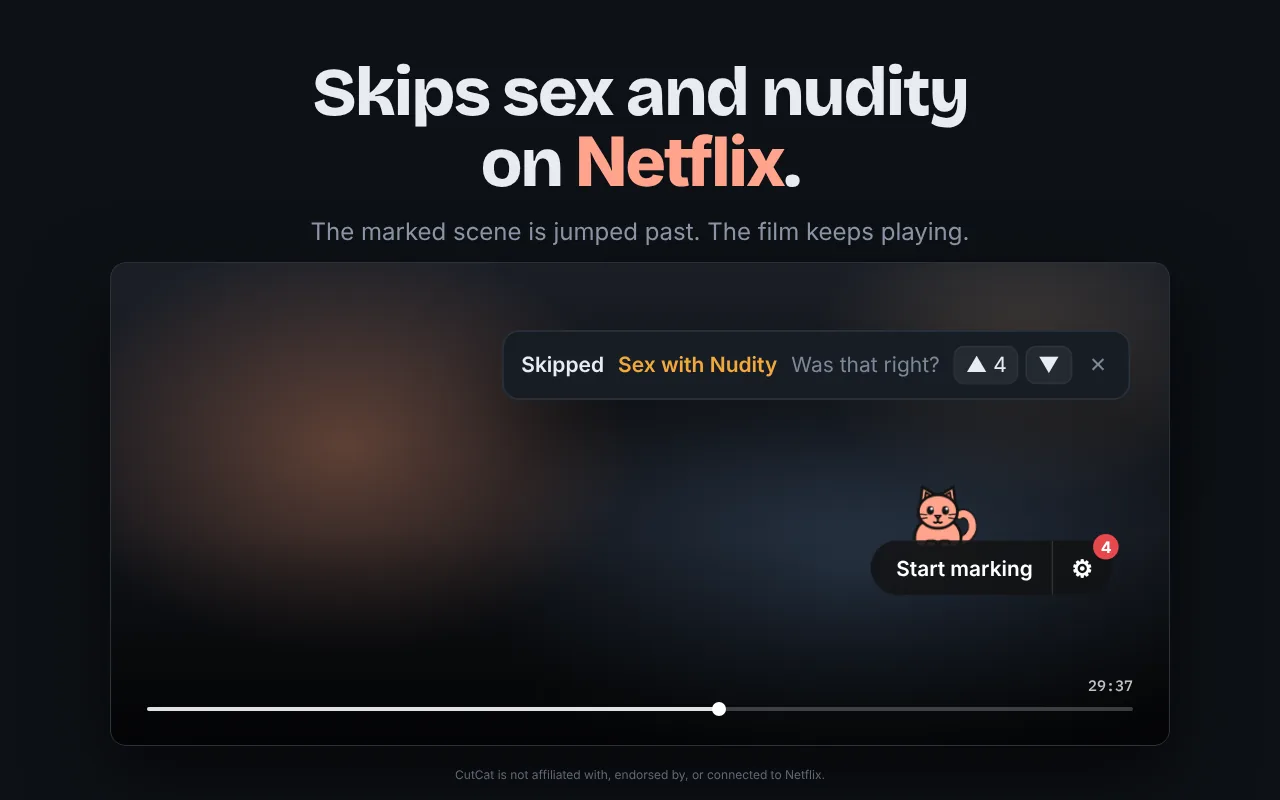
On a phone or a TV, CutCat cannot be installed. Use the start times above and skip forward by the length shown.
Watching 13 Reasons Why on a computer? Add CutCat and the marked scenes are skipped for you.
Questions
How many sex scenes are in 13 Reasons Why?
Viewers have marked 20 sex or nudity scenes across 11 of the 49 episodes, about 8 minutes in total.
Which episode of 13 Reasons Why has the most sex scenes?
Season 1, episode 6, “Tape 3, Side B”, has the most marked time: 2 minutes across 3 scenes.
Can I skip the sex scenes in 13 Reasons Why on Netflix?
Netflix has no setting for it. On a computer, the free CutCat extension for Chrome skips the marked scenes as you watch. On a phone or TV, use the start times on this page and skip forward by hand.